Print management
Managed Print Services for Small Business: A Plain Guide
Written by Printer.business Editorial Team · Updated

Managed print services for small business promise a simple deal: someone else keeps your printers running, toner arrives before it runs out, and you get one predictable bill. For some offices that is exactly right. For others it adds a contract they do not need. This hub explains what managed print services (MPS) include, how they are priced, when they pay off, and what to check before you sign.
Printer.business is independent. We do not sell managed print contracts and we are not affiliated with any provider. When you invite providers to quote, our printer RFP checklist helps you get bids in a comparable format.
What managed print services include
A typical MPS offer covers some or all of the following:
- Assessment: a survey of your current printers, volumes, costs and where people print.
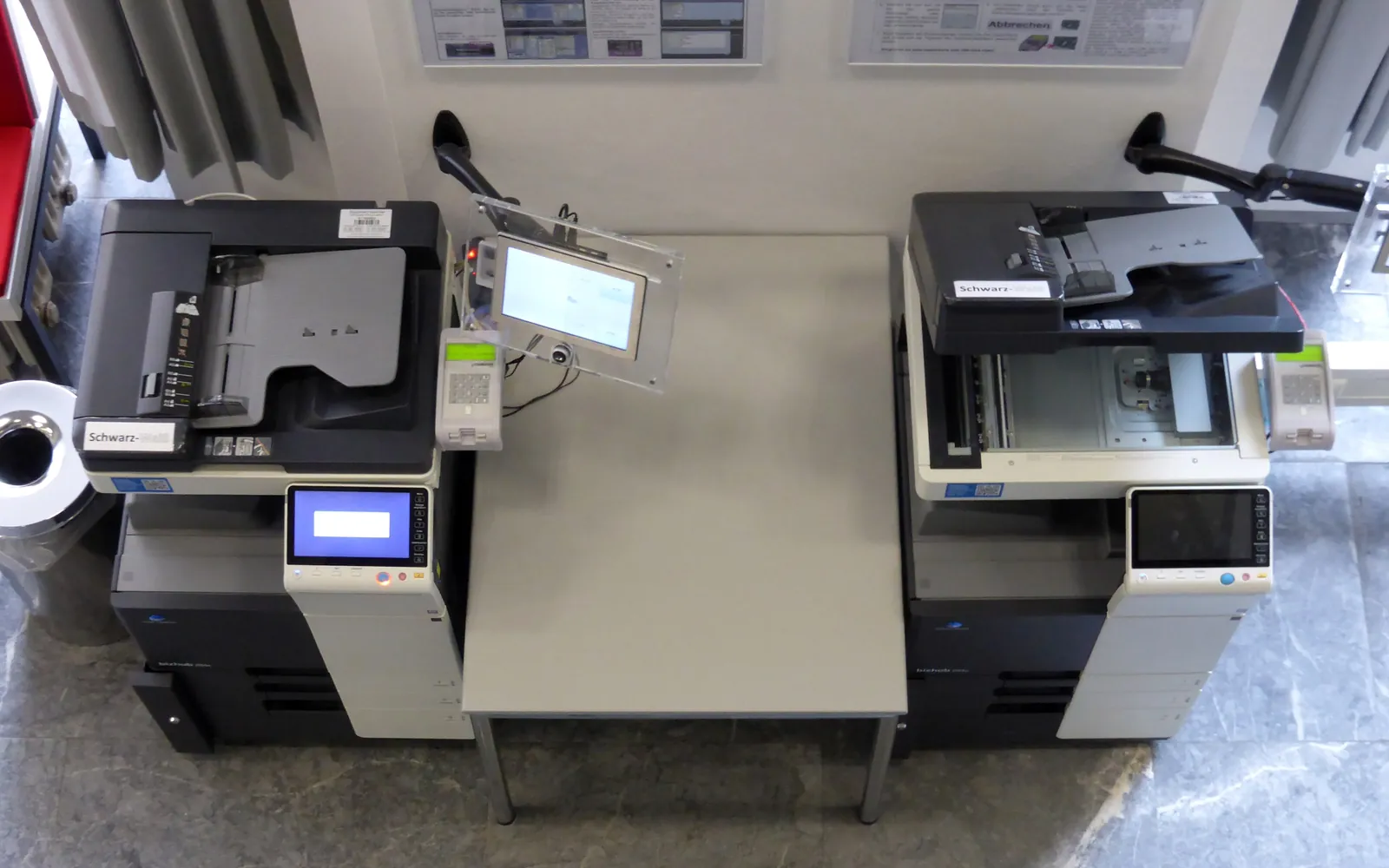
- Fleet design: consolidating scattered desktop printers into fewer shared MFPs, sized to measured volume.
- Devices: supplied on a lease or rental, or your existing devices brought under management.
- Monitoring: a software agent or the device’s own reporting sends page counts and alerts to the provider.
- Automatic supplies: toner shipped when levels drop, so no one orders it.
- Break-fix service: repairs and parts within agreed response times.
- Reporting: usage by device, department or user, and cost trends.
- Print management software: optional secure release, quotas and rules.
How MPS is priced
| Model | How it works | Watch for |
|---|---|---|
| Cost per click | Fixed price per mono and colour page; toner, parts and service included | Minimum monthly volume, rate changes above thresholds |
| Fixed monthly fee | Set fee covering a page allowance | Overage charges, unused allowance |
| Lease plus clicks | Hardware lease and a separate click service agreement | Two contracts with different end dates and terms |
To compare offers, use the same measured monthly volume for each and calculate the total over the full term. Our printer cost per page comparison and total cost of ownership template show how. For per-device, per-user and hybrid structures, and how each behaves when volumes change, see managed print services pricing models.
When managed print pays off
MPS tends to make sense when:
- you have several devices, possibly from different makers, each with its own toner;
- nobody owns printing, so supplies run out and faults sit unreported;
- costs are unknown or rising and you want reporting;
- you need security and compliance features, such as secure release and audit logs, but lack time to configure them;
- you are consolidating desktop printers into shared MFPs.
It is less likely to pay off when you have one or two reliable printers, low volume and someone happy to order toner.
Running an MPS assessment yourself
Before talking to providers, gather:
- A list of every printer and MFP, with model, location and connection type.
- Page counts from each device, read twice a month apart. See our guide to printer duty cycle and monthly volume.
- What you spend on toner, ink, parts and repairs over the last year.
- Who prints what: departments with sensitive documents, heavy colour users, scanning workloads.
- Your security requirements, such as authentication at the device.
With that data you can compare proposals on the same basis and avoid paying for capacity you do not use.
Contract terms to check
- Term and renewal: length, notice window, automatic extension.
- Minimum volumes: should reflect your measured average, not a hopeful estimate.
- Price changes: annual increases and how they are calculated.
- Service levels: response and fix times, loan devices, what is excluded (for example, paper jams caused by unsuitable media).
- Supplies: delivered automatically, and who pays for over-supply.
- Device changes: adding, removing or moving devices mid-term.
- Data handling: what the monitoring agent collects, where it is sent, and who wipes devices at the end.
- Exit: return conditions and collection costs.
Many of these clauses are the same as in a printer lease; see lease vs buy an office printer.
Security in a managed fleet
Outsourcing printers does not outsource responsibility for your data. Agree in writing who handles:
- changing default admin passwords and keeping them secret;
- applying firmware updates, and how quickly after release;
- disabling unused protocols and services;
- configuring encrypted printing and scanning;
- sanitising storage before devices leave, following an approach such as NIST SP 800-88.
Our network printer security checklist lists what to configure, and secure print release explains pull printing, which many MPS providers offer.
Policies make MPS work
A managed fleet works best with a few simple rules: duplex and mono by default, colour where needed, secure release for confidential documents, and a clear place to report faults. Our office print policy template gives you a starting point.
Environmental reporting
Many providers report paper, energy and consumables use. If sustainability matters to your business, ask for this reporting and check that new devices are ENERGY STAR certified or meet an equivalent standard in your region. Ask how empty cartridges and retired devices are collected and recycled.
Questions to ask a provider
- Which devices and brands can you manage, and how is monitoring done?
- What exactly is included in the click price, and what is not?
- What are your response and fix times, and are they in the contract?
- How do you handle firmware updates and security settings?
- How do you wipe device storage at the end, and do we get confirmation?
- Can we reduce volume commitments if our needs fall?
Signs your MPS contract is not working
Once a contract is running, review it at least once a year. Warning signs include:
- you regularly pay minimum-volume charges for pages you never printed;
- toner arrives in quantities that pile up in a cupboard;
- engineers miss the response times in the contract and nobody records it;
- reports arrive but no one reads them or acts on them;
- devices have not had a firmware update since installation.
Raise these with the provider in writing, and use the evidence when the contract comes up for renewal. If the provider cannot fix them, start planning an exit well before the notice window.
Prepare your own baseline first
A provider’s assessment is useful, but it is also a sales tool. Before you invite proposals, collect your own counter readings, contracts and supply invoices with our office print audit checklist, and try the free changes in how to reduce printing costs. You can then judge whether a proposal’s savings are real. Ask in writing how the provider handles device storage at swap-out and end of term (see copier hard drive data security), and whether the contract includes a print server or cloud print service (see print server vs direct IP printing).
Moves, fax and outsourced work
Ask how the contract handles changes as well as steady-state printing. An office move usually needs the provider to relocate devices and update its monitoring; our moving office printers checklist lists what to agree in advance. If you still fax, check whether fax modules and lines are in scope and compare them with an online fax service. Some providers also manage outsourced print; compare that with your own outsourcing vs in-house analysis.
Placement, finishing and paper
A managed print review is a good time to check where devices sit and what they are asked to do. Our guides to office printer placement, copier finisher options and office printer paper cover the questions to settle before a supplier proposes a new fleet.
Summary
Managed print services can take printers off your to-do list and make costs predictable, but only if the contract fits your real volume and spells out service and security responsibilities. Measure first, compare on the same numbers, and read the terms. If MPS is not for you, the office printer buying guide covers choosing and running your own devices.
Frequently asked questions
What are managed print services?
Managed print services are contracts where a provider looks after your printers and MFPs: supplying or managing devices, delivering toner automatically, fixing faults, monitoring usage and reporting costs, usually for a per-page or monthly fee.
Is managed print worth it for a small business?
It can be if you have several devices, mixed brands, rising costs or nobody who wants to handle printers. A small office with one reliable printer often does not need it.
How is managed print priced?
Common models are a cost per click for mono and colour pages, a fixed monthly fee covering a set volume, or a combination with a device lease. Compare offers on the same measured volume.
Can managed print use our existing printers?
Many providers can bring your existing devices under management if they can be monitored and supplied. Others will propose replacing some or all of them.
What happens to our data at the end of an MPS contract?
The contract should say who wipes device storage and how. Ask for a written confirmation of data sanitisation for every device that leaves your site.
Sources
Printer.business Editorial Team
Editorial team
The Printer.business editorial team writes independent guides on choosing, costing and managing office printers, using primary sources such as ISO/IEC standards, ENERGY STAR, NIST and the UK NCSC.