Running costs
Lease vs Buy Office Printer: Costs, Contracts and Pitfalls
Written by Printer.business Editorial Team · Updated

The lease vs buy office printer decision looks like a finance question, but it is really about how much you print, how much you want to manage yourself, and how carefully you read contracts. This guide explains how printer and copier leases work, the clauses that cost small businesses money, and a simple way to compare leasing with buying.
How office printer leasing works
A typical office equipment deal has two parts, even when it arrives as one quote:
- The lease (or rental) for the hardware: a fixed monthly payment for a set term, often several years.
- The service agreement: covers toner, parts and repair visits, usually priced as a cost per click for each mono and colour page, sometimes with a minimum monthly volume.
The lease is often written by a finance company, while the service agreement is with the dealer. That matters: if the dealer’s service disappoints, the finance contract usually still has to be paid.
When buying makes more sense
- You need one or two desktop printers or small MFPs.
- Your volume is modest and stable.
- Someone in the office can order toner and handle simple maintenance.
- You want no long-term commitment and the freedom to change supplier.
When you buy, your cost is the purchase price plus consumables, parts, paper and any repairs. Our cost per page comparison shows how to estimate the consumables part.
When leasing makes more sense
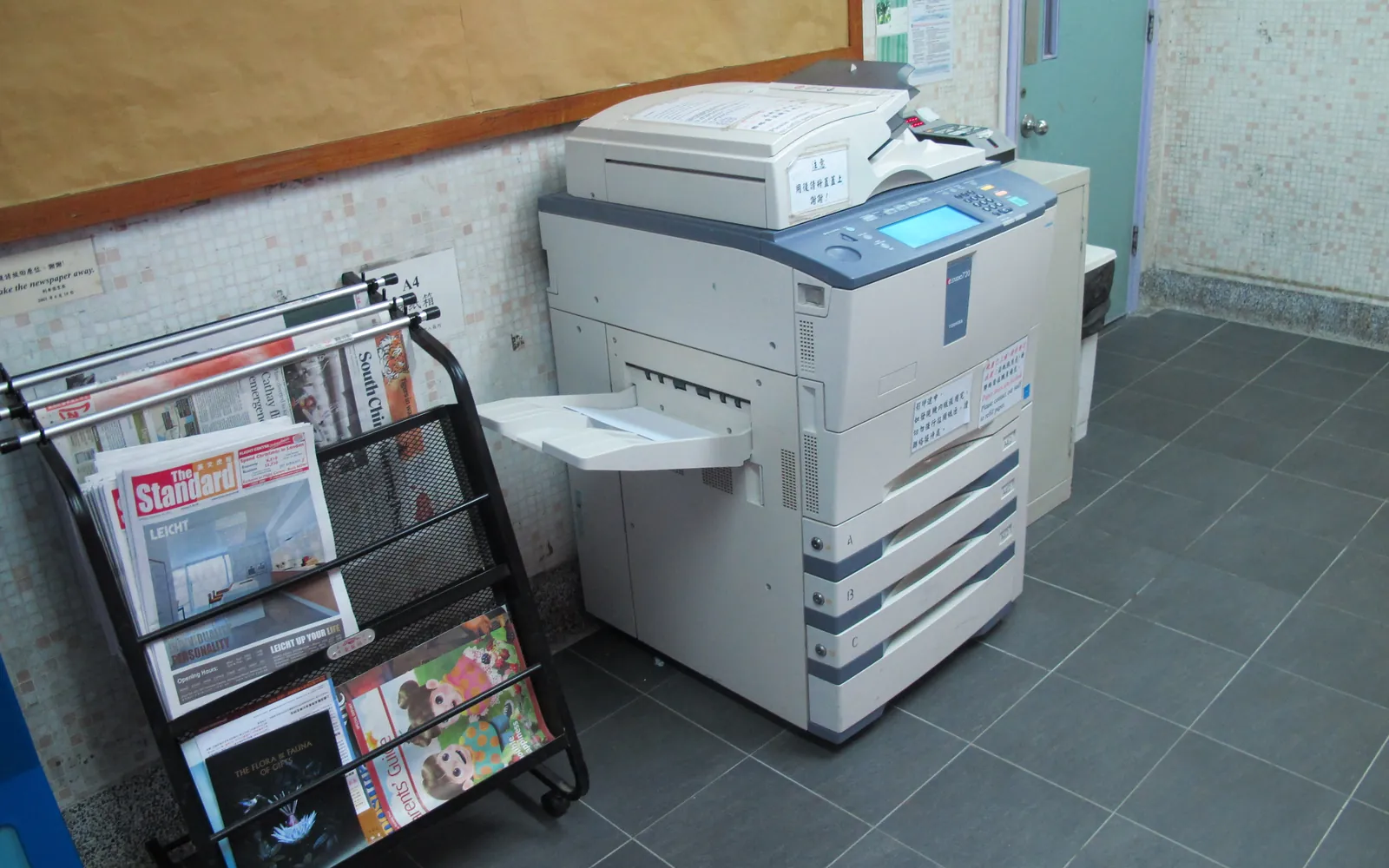
- You need copier-class A3 MFPs with finishing, which have a higher upfront price.
- Volume is high, so bundled service and supplies are valuable.
- You want a fixed monthly cost and to preserve cash.
- You want the dealer to monitor toner and dispatch engineers.
For offices with several devices, a managed print service may be a better fit than a single lease.
Contract clauses to check
| Clause | What to look for |
|---|---|
| Term | Length in months and whether it matches how long you expect to need the device |
| Minimum volume | Pages you pay for each month even if you print less |
| Click rates | Separate mono and colour rates, and whether they change above a threshold |
| Price escalator | Annual increases to the lease or click rates |
| Auto-renewal | Notice period and window for ending the contract; rolling extensions |
| Early termination | How the settlement figure is calculated |
| End of term | Return, purchase option, or continued rental; who pays for collection |
| Service levels | Response times, loan devices, what counts as a covered fault |
| Data on return | Who wipes the storage, and whether you get confirmation |
Missing an end-of-term notice window is one of the most common and expensive mistakes. Put the date in your calendar the day you sign.
Comparing the total cost
Compare over the same period, for example the lease term:
Leasing total = monthly lease payment x months + expected click charges (or minimum volume charges if higher) + any fees for installation, collection or admin.
Buying total = purchase price + consumables for your expected volume + parts and maintenance kits + repair or service plan + your staff time to manage it - expected resale value at the end, if any.
Use your measured monthly volume, as described in printer duty cycle and monthly volume, not the volume a salesperson suggests. Our total cost of ownership guide has a full template.
Tax and accounting
How a lease or a purchase affects your tax and accounts depends on where you are. In the US, IRS Publication 946 explains depreciation of business property; in the UK, capital allowances apply to many equipment purchases. Companies reporting under IFRS 16 generally bring leases onto the balance sheet, with some exemptions. We are not accountants: ask yours to compare both options for your situation.
Data security at the end of the lease
Copiers and MFPs often store scanned and printed images on internal storage. Before a leased device is collected, make sure the storage is wiped or the drive is removed and destroyed, and get written confirmation. NIST SP 800-88 explains sanitisation methods. See our network printer security checklist for setup and decommissioning.
Negotiating tips
- Get at least two quotes on the same device class and the same volumes.
- Ask for click rates without a minimum volume, or a minimum that matches your measured average.
- Ask whether toner delivery, installation and collection are included.
- Ask for the end-of-term options in writing.
- Avoid upgrading early mid-term unless the settlement is clearly shown.
Before the lease ends
Put the end date and the notice window in a shared calendar on the day you sign. About six months before the end, run a short office print audit so you know your real volume before the dealer proposes a replacement. When the device goes back, follow a written wiping routine and get proof of what was done; our copier hard drive data security guide explains why and how. If the new proposal is an A3 copier, check whether you actually need A3 with the test in A3 vs A4 office printer. Our step-by-step end of copier lease guide covers return, buyout and renewal options in more detail.
Charities, churches and donated machines
Non-profit organisations face the same lease-or-buy decision with a few twists. Budgets are often approved annually by a committee, long leases can outlast the people who signed them, and someone may offer a donated copier.
Before signing a lease, check who will be responsible for it in three or five years, whether it renews automatically, and whether the minimum volume suits a pattern of quiet weeks and busy seasons. Buying a smaller business printer outright can be simpler for low and peaky volumes.
A donated copier can help, but confirm that it is not still under someone else’s lease, that toner and service are still available, and that the donor has wiped its storage. Our guide to a printer for a church office covers these checks along with bulletin printing and copyright licences for song words.
Whatever route you choose, decide on options such as finishers at the start. Adding a booklet or stapling finisher later can change the lease or require a new agreement. And plan where the device will go before delivery, using our office printer placement guide, because a floor-standing copier with a finisher needs more space than many people expect.
Verdict
For most small offices with desktop devices, buying wins on simplicity and cost. Leasing earns its place for bigger machines and higher volumes, provided you read the contract and match the minimum volume to reality. Whichever route you take, the office printer buying guide helps you choose the right device class first.
Frequently asked questions
Is it better to lease or buy an office printer?
For one or two desktop printers, buying is usually cheaper and simpler. Leasing becomes attractive for larger MFPs and copiers, high volumes, or when you want service and supplies in one predictable bill. Compare the total cost over the same period for both.
What is a cost per click contract?
It is a service agreement where you pay a fixed price for each mono or colour page printed, usually covering toner, parts and service visits. It is often bundled with a lease but is a separate charge.
Can I end a printer lease early?
Usually only by paying the remaining payments or a settlement figure set by the lease contract. Read the early termination clause before signing.
What happens at the end of a copier lease?
Depending on the contract, you return the device, buy it, or the lease continues on a rolling basis. Many contracts require written notice within a set window before the end date; missing it can extend the lease automatically.
How should a lease be treated in our accounts?
That depends on your country and the accounting standards you report under, such as IFRS 16. Ask your accountant before signing, especially for longer terms.
Should a charity lease or buy a printer?
For low or irregular volumes, buying a business printer outright is often simpler. Leasing can suit higher volumes and organisations that want service bundled in, but check the term, renewal terms and minimum volumes against how much you really print.
Sources
Printer.business Editorial Team
Editorial team
The Printer.business editorial team writes independent guides on choosing, costing and managing office printers, using primary sources such as ISO/IEC standards, ENERGY STAR, NIST and the UK NCSC.