Buying guides
Refurbished Copier for a Small Business: Is It Worth It?
Written by Printer.business Editorial Team · Updated
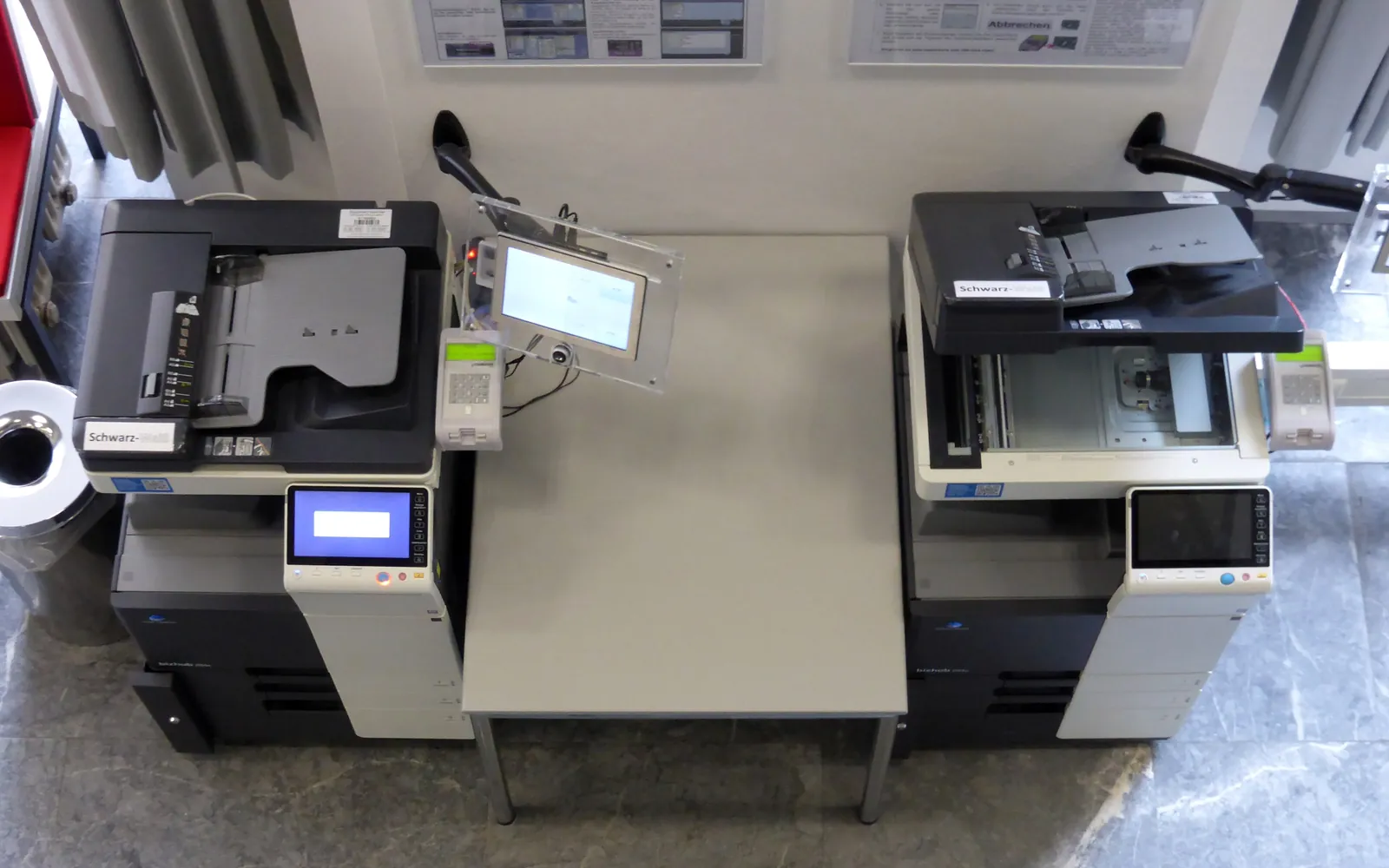
A refurbished copier can give a small business a heavy-duty multifunction device for less than the price of a new one. Many of these machines come off three to five year leases in larger offices and still have plenty of life left. Others have been worked hard and are close to needing expensive parts. This guide explains what refurbished means, what to check before you buy, and when new is the better choice.
Where refurbished copiers come from
Most refurbished office copiers are off-lease machines. When a lease ends and the customer returns the device, the leasing company or a dealer sells it on, often after cleaning, testing and replacing worn parts. Some are trade-ins, and some are ex-demonstration units with very low counts.
The labels used are not regulated:
- Used or “as is”: sold without work, sometimes without testing.
- Refurbished: cleaned, tested, worn consumable parts replaced, sometimes with a short warranty.
- Remanufactured: a fuller rebuild to a defined process, closer to new.
Always ask for the list of work done rather than relying on the label.
What to check before buying
Meter count
Every copier records total pages. Ask for a printed counter or configuration report showing mono and colour totals. Compare them with the model’s rated life and with your own volume: a device that will print a few thousand pages a month for you is a different proposition from one that must handle many times that. Our duty cycle and monthly volume guide explains how to match a device to your volume.
Parts replaced
Ask which of the following were replaced or tested, with their remaining life where the device reports it:
- drum units or photoconductors;
- developer units;
- fuser;
- transfer belt and rollers;
- feed and separation rollers in each tray.
Parts reports from the device’s service menu or web page are more useful than a general “fully serviced” statement.
Supplies and service
Check that toner and parts are still available from more than one source, and who will service the device. A cheap machine that only one dealer will touch locks you in. If you plan a click agreement, compare it using copier cost per click explained.
Firmware and security
Older models may no longer receive firmware updates. A networked copier without security updates is a risk, as our network printer security checklist explains. Ask the seller which firmware version is installed and whether the manufacturer still publishes updates for the model.
Data from the previous owner
The device may still hold address books or stored jobs from its last office. Ask how storage was sanitised. If the answer is vague, run the initialisation function yourself before connecting it to your network. Our copier hard drive data security guide covers the options.
Energy use
Older devices may use more energy in sleep and ready modes than current ENERGY STAR certified models. If the device will be on all day, check its specifications or ENERGY STAR listing, as described in office printer energy use.
When refurbished makes sense
- Your volumes are moderate and stable.
- You need features such as A3, finishing or high-capacity trays that are expensive new. See A3 vs A4 office printer.
- A local dealer will service the model and supplies are easy to get.
- You want to avoid a long lease and can pay up front.
When new is the better choice
- Very high volumes where downtime is expensive.
- Strict security or compliance needs that require current firmware and features such as encrypted storage.
- The model is near the end of its support life.
- You need cloud or mobile printing features the older model lacks.
A simple comparison method
- Estimate your monthly volume from counter readings.
- For each option, new and refurbished, list purchase price, expected parts replacement within your planned ownership period, supplies cost per page and service cost.
- Add an allowance for downtime on the refurbished option if parts are uncertain.
- Compare totals over the same period, as in our total cost of ownership guide.
Inspecting the device on delivery
When the copier arrives, check before you sign the delivery note:
- Print a configuration or counter report and compare it with the meter count you were quoted.
- Print a few test pages in mono and, if relevant, colour, plus a duplex page. Look for streaks, smudges, faint areas and creases.
- Copy and scan a page from each tray and the document feeder to test paper handling.
- Check the outside for cracks, missing covers and broken tray guides.
- Confirm the serial number matches your paperwork.
Report problems in writing within the warranty period. Keep the counter report, since it proves the starting count if you later dispute a click invoice.
Leasing a refurbished copier
Some dealers lease refurbished machines as well as selling them. The same checks apply, plus the usual lease questions about term, renewal and exit in our lease vs buy guide. Make sure the lease term is not longer than the realistic remaining life of the device.
Questions to ask the seller
- What was the total meter count when you took it in, and now?
- Which parts were replaced, and can I see the parts life report?
- What warranty do you give, and what does it exclude?
- Who services this model locally, and at what terms?
- How was the previous owner’s data removed?
- Is the firmware current, and does the maker still issue updates?
Get the answers in writing with the serial number.
Warranty and replacement planning
A refurbished copier is usually a shorter-life purchase than a new one, so plan its exit from the start. Ask what warranty the seller provides, whether a longer cover can be bought, and what it excludes; printer extended warranty for business lists the questions to ask. Record the purchase date, meter reading on delivery and any end-of-support date for the model, and review them once a year. When repairs and downtime start to climb, use the test in when to replace an office printer to decide whether to repair, replace with another refurbished unit or move to new.
Summary
A refurbished copier is worth it when you know its history: a moderate meter count, documented parts replacement, available supplies and service, current firmware and properly wiped storage. If you cannot get those answers, the low price is not a bargain.
Frequently asked questions
Is a refurbished copier worth it for a small business?
It can be, when the device has a known and moderate meter count, worn parts have been replaced, supplies and service are available locally, and the firmware still receives updates. Without those, a cheap price can turn into frequent repairs.
What is the difference between used, refurbished and remanufactured?
Used usually means sold as is. Refurbished means cleaned, tested and repaired with worn parts replaced. Remanufactured implies a more complete rebuild to a defined standard. The terms are not regulated, so ask the seller exactly what work was done.
What meter reading is acceptable on a refurbished copier?
There is no single number. Compare the total count with the model's rated life and with the life of major parts such as the drum and fuser. Ask for a printed configuration or counter report, not just a quoted figure.
Can I get a service contract on a refurbished copier?
Often yes, from the seller or an independent dealer. Ask before buying, because some dealers will only service devices they supplied, and parts for older models can become hard to get.
Sources
Printer.business Editorial Team
Editorial team
The Printer.business editorial team writes independent guides on choosing, costing and managing office printers, using primary sources such as ISO/IEC standards, ENERGY STAR, NIST and the UK NCSC.


